Hovia Commercial Grade™ paper mural installation
Take a moment to read this guide before installation to ensure you understand the entire process. If you are unsure of any of the steps, please get in touch with our customer support team who'll be happy to help.
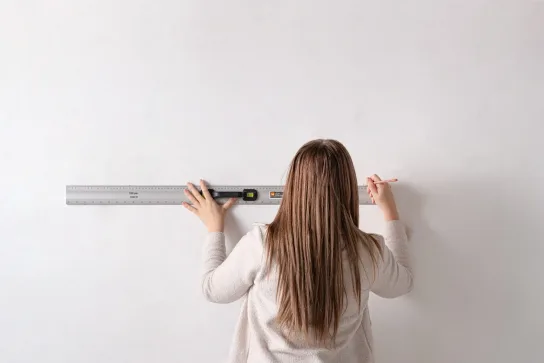
Tools
• Straight edge
• Sharp knife (Stanley/craft)
• Scissors
• Tape measure
• Pencil
• Paste the wall adhesive
• Bucket
• Paint brush or roller
• Clean, damp microfiber cloth
• Plumb line, spirit or laser level
• Plastic wallpaper smoother tool (with felt edge)
Before you start
For a successful installation, make sure the wall is smooth, clean and completely dry. Remove any
existing wallpaper or backing paper, and ensure the surface is free from dirt, dust, grease, mildew
and other contaminants.
• Remove nails and screws, and fill any holes or cracks.
• Sand down rough or uneven areas until smooth.
• Clean the wall with warm water and mild soap, then allow it to dry for at least 24 hours.
• Switch off the mains electricity and remove socket and switch covers.
• If needed, paint the wall a light, uniform colour to prevent dark colours or patterns from showing through.
Painted walls: Allow freshly painted walls to dry fully before installation. We recommend waiting
4 weeks, or following the paint manufacturer’s guidance.
Porous surfaces and plasterboard: Make sure the surface is dry, stable and smooth. Fill and sand
where necessary, then seal with a suitable primer or diluted wallpaper paste and allow to dry fully.
Important: Allow the wallpaper to acclimatise in the room where it will be installed for at least
24 hours. Remove it from the packaging, loosen the roll slightly and leave it to rest.
Panels are numbered at the top and should be hung from left to right.
Each panel is 105 cm / 41.3” wide, including the 50mm / 2” overlap.
How to install
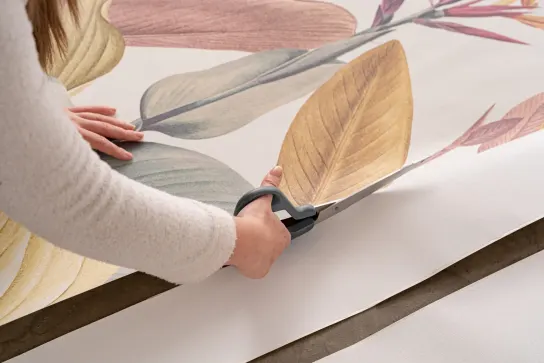
Lay out your design
Unroll the wallpaper and separate the panels. Arrange them on the floor in numerical order, starting with panel one and working from left to right.
Lay out the panels to check the design matches before installation. If you notice inconsistencies with the print, please do not install and contact our customer support team for help.
Please note: We’re not able to compensate for installation fees from third parties.
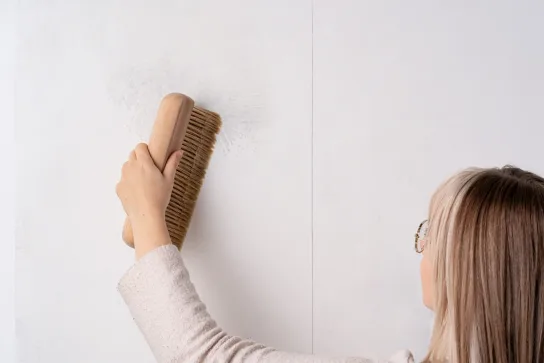
Paste the wall
Before you paste, mark the first panel’s width on the wall with pencil, then place a plumb line, spirit or laser level on the mark to draw a vertical line. Use this line as a guide to install your first panel.
Ensure that the first panel is hung straight – it’s vital for successful installation.
Use a brush or roller to evenly apply paste to the wall, covering a few inches past your guideline. A smooth, even coat is essential to reduce the possibility of bubbling.
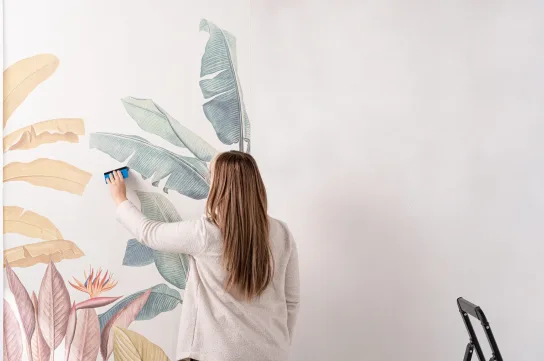
Install your first panel
Working from top to bottom, align the first panel with your guideline and carefully position it on the wall.
Use your squeegee or a soft cloth to carefully smooth away any bubbles or ripples.
Important: Do not pull or stretch the material during installation. Work from the top and allow the wallpaper to fall naturally, taking particular care to avoid scuffing or scratching the printed surface.
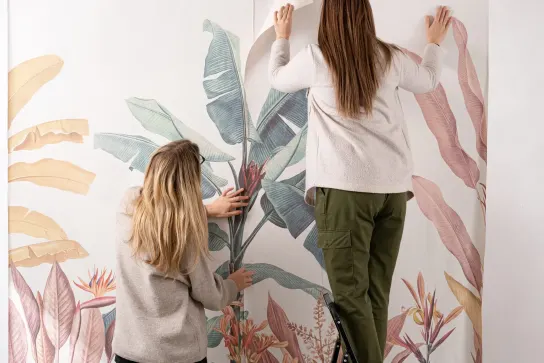
Overlap the paper
Each panel has a 50 mm / 2” overlap. Use the black arrows at the top and bottom to align each panel with the previous one.
Visually match the design at the join and smooth out.
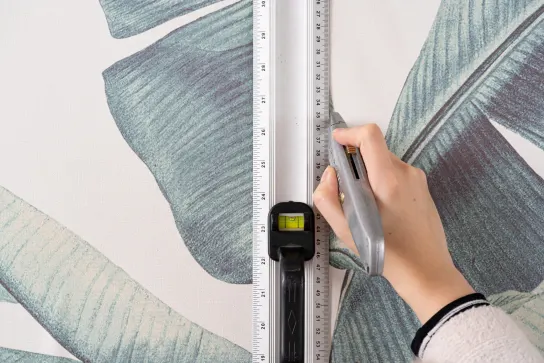
Cut the overlap
Using a straight edge and a sharp knife, cut through both layers down the centre of the overlap.
Keep the knife in contact with the wall throughout the cut, moving the straight edge down as you work. Do not lift the knife away from the wall while cutting, as this may result in an uneven join.
Important: Always use a sharp knife. A dull blade can cause the wallpaper to tear.
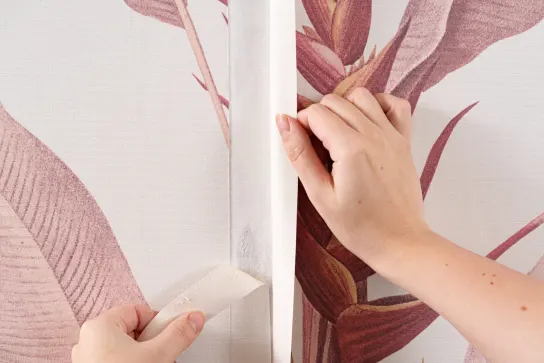
Remove the excess overlap
The top strip should fall away as you cut downwards. Once you have cut all the way down, gently lift the overlapping panel of paper and pull away the thin strip from underneath.
If needed, apply more paste beneath the join to ensure adhesion.
Use a seam roller to make sure the paper is well bonded at the join. Immediately wipe away any excess paste with a clean, damp microfibre cloth.
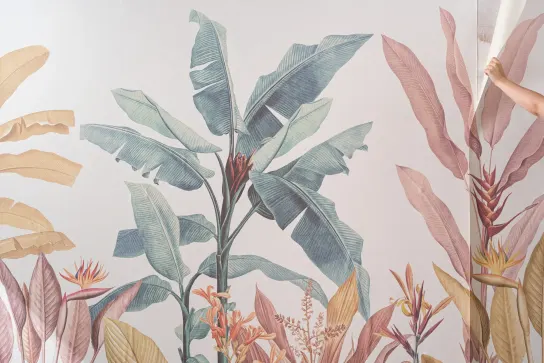
Trim and repeat
Use a sharp knife to trim away excess paper at the top and bottom of each panel.
Repeat steps 4–10 for each remaining panel. The final panel includes extra white space for trimming. Once installed, trim the excess from the right-hand side.
Let the wallpaper dry at room temperature with enough ventilation. If there’s a radiator or other heat source on the same wall, turn it down or off for the first 24 hours of drying to reduce shrinkage.
That’s it, sit back and enjoy your handiwork!
Download our Hovia Commercial Grade™ paper hanging guide

Unlock your exclusive discount!
Join our mailing list to access your exclusive discount code and be the first to know about our latest designs, limited collections and insider offers.
(P.S. We keep your info safe, check our privacy policy for details.)